





Quick Answer
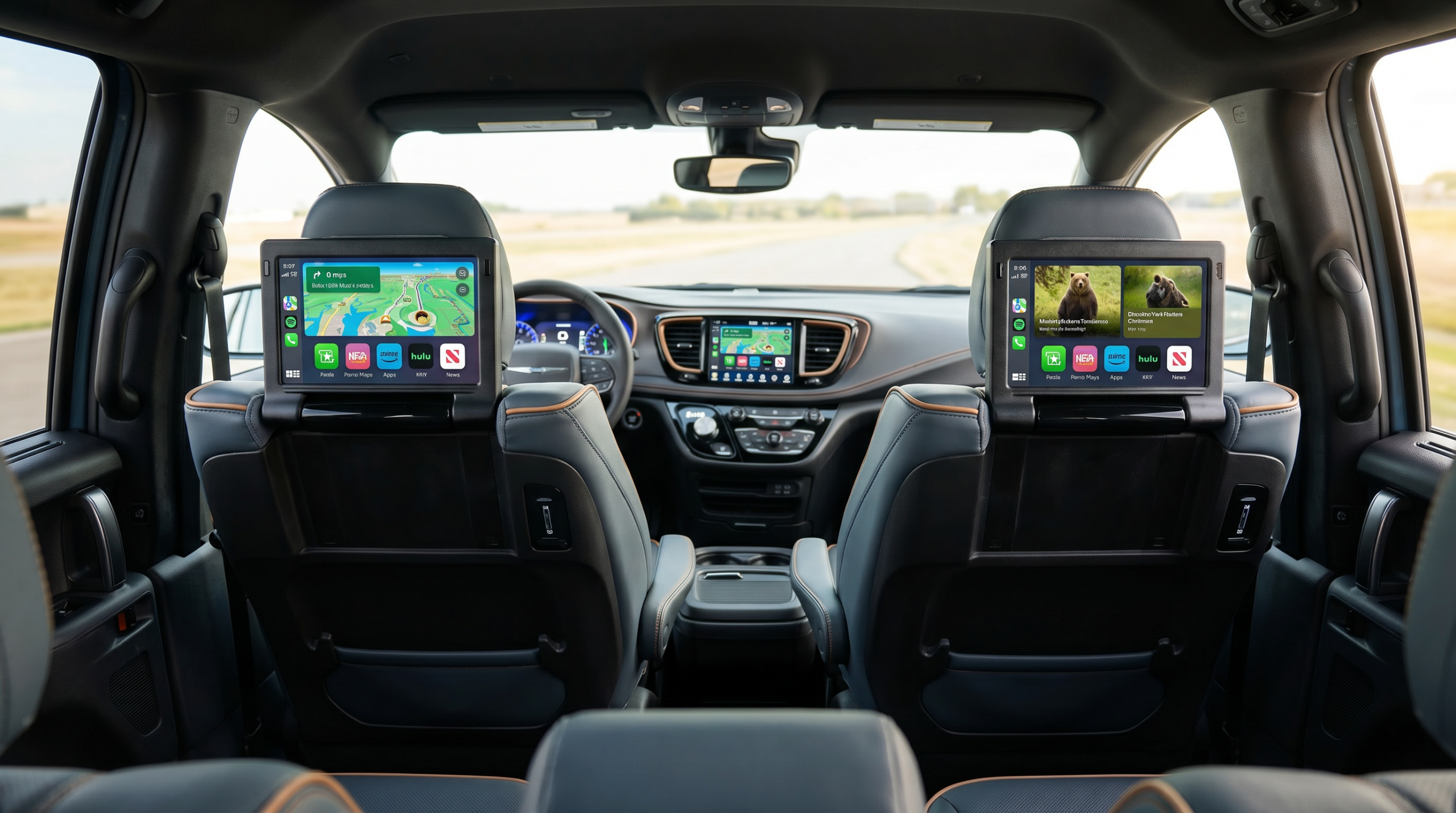
The 2027 Chrysler Pacifica’s Theater Group adds built-in Amazon Fire TV, two seatback screens, and a Blu-ray/DVD player to keep kids entertained. It’s available on the Pinnacle. Downloaded shows and discs play offline through dead zones; the standard 4G Wi-Fi hotspot streams live where coverage allows.
Anyone who has driven kids across South Dakota knows the real question on a long road trip isn’t the scenery — it’s what happens in the back seat once the novelty wears off. Somewhere past the first hour, “are we there yet” starts, and a screen with their show on it is worth more than any feature on the window sticker.
This guide covers exactly what the 2027 Pacifica’s Theater Group includes, whether kids can stream Amazon Fire TV when you lose cell service, how many screens there are and whether they can play different things, and whether it’s worth checking the box for a family that road-trips.
On This Page
- What is the Theater Group rear-seat entertainment?
- New for 2027: Theater Group vs. Family Tech Group
- Can kids stream Fire TV with no cell service?
- How many screens are there, and can they play different things?
- Is the Theater Group worth it for a road-trip family?
- How to set up the Pacifica for a long road trip
What is the Theater Group rear-seat entertainment?
The Theater Group is the 2027 Pacifica’s rear-seat entertainment package. It adds built-in Amazon Fire TV, a pair of seatback video screens mounted on the backs of the front seats, a Blu-ray/DVD player, and a video remote so the kids — or you — can control what’s on. It’s available on the Pinnacle.
What makes it different from a tablet on a mount is that Fire TV is baked into the van. Second-row passengers get their own screens at the right height, the apps live in the vehicle rather than on someone’s iPad that’s about to die, and the disc player covers the movies you already own. For families who genuinely log highway hours, that’s the appeal — it turns the back of the Pacifica into something close to a small theater.
New for 2027: Theater Group vs. Family Tech Group
Here’s the part almost nobody has caught yet. For 2027, Chrysler split the old combined entertainment-and-convenience bundle into two separate packages. If you’re cross-shopping older Pacifica information, this is the single thing most likely to trip you up.
The two packages, untangled
Theater Group — the entertainment half: Amazon Fire TV, seatback video screens, Blu-ray/DVD player, and a video remote. This is the package that keeps kids watching.
Family Tech Group — the convenience half: the FamCAM interior camera for keeping an eye on the back rows, a Harman Kardon premium audio system, and the Stow ‘n Vac built-in vacuum, among other items.
The practical takeaway: if it’s the screens you want, you’re looking for the Theater Group, not the Family Tech Group. They used to travel together; now they don’t. Knowing which box does what saves you from ordering one and expecting the other.
Can kids stream Fire TV with no cell service?
This is the question that matters most out here, because plenty of the drive between towns has no bars at all. The honest answer has two parts: live streaming needs a connection, but the Pacifica is built so the kids don’t go dark when the signal does.
The built-in Amazon Fire TV streams shows and movies when you have data — and the Pacifica’s 4G Wi-Fi hotspot is standard on every trim, so the van itself can supply the connection. The catch is coverage: out on rural South Dakota highways, that signal comes and goes, so live streaming can stutter or stop where there’s no service.
The fix is the same one any seasoned road-trip parent uses: load up offline content before you leave. Download episodes and movies in your apps while you’re still on home Wi-Fi, and they’ll keep playing through the dead zones. The Blu-ray/DVD player is the other ace — a disc doesn’t care about cell coverage at all, so a stack of the kids’ favorites covers you for the whole drive, signal or not.
How many screens are there, and can they play different things?
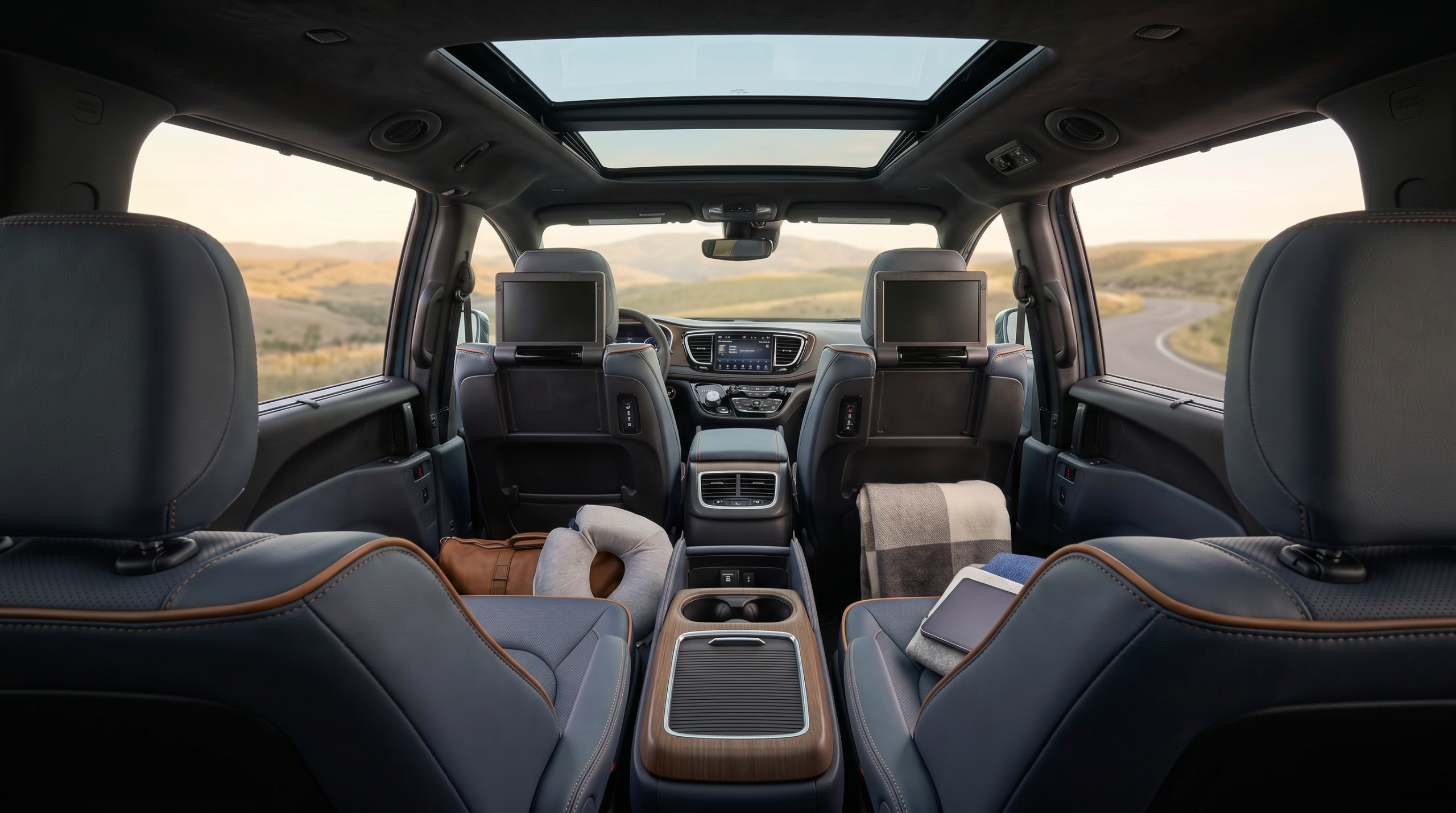
The Theater Group adds two seatback screens, one on the back of each front seat, so both second-row passengers get their own display. That’s the layout that matters when you’ve got two kids who do not want to watch the same thing.
Because each screen is its own display with the Fire TV interface, one child can be on their show while the other watches a movie off the disc player — and headphones keep the peace so the front seats stay quiet. For families where “but I don’t want to watch that” is a daily negotiation, two independent screens is the detail that actually keeps the trip calm.
Is the Theater Group worth it for a road-trip family?
| Consideration | Built-in Theater Group | Tablets on mounts |
|---|---|---|
| Screens for the second row | Two, fixed at the right height | Depends on what you bring |
| Works with no signal | Yes — disc player and downloads | Only with downloaded content |
| Battery to worry about | No — powered by the van | Yes — and chargers, cords, dying mid-show |
| Availability | Theater Group on the Pinnacle | Any trim |
Worth it if: you take real road trips, have more than one kid, and you’re already looking at a Pinnacle.
Skip it if: your driving is mostly short and around town, or tablets you already own do the job for the occasional longer haul.
How to set up the Pacifica for a long road trip
A few minutes of prep the night before is the difference between a quiet drive and a back-seat meltdown an hour in. Here’s the order we’d tackle it.
- Download shows before you leave: while you’re on home Wi-Fi, save episodes and movies in your apps so they play through dead zones.
- Pack a few discs: the Blu-ray/DVD player is your no-signal backup — load up the kids’ favorites.
- Charge the headphones: two screens only keep the peace if each kid can hear their own show.
- Set up the Wi-Fi hotspot: standard on every Pacifica — handy for live streaming wherever you do have coverage.
- Confirm it’s the right box: rear screens come from the Theater Group, not the Family Tech Group — make sure the van you’re looking at has it.
Key Takeaways
- The Theater Group adds built-in Amazon Fire TV, two seatback screens, a Blu-ray/DVD player, and a video remote — available on the Pinnacle.
- New for 2027: Chrysler split the old bundle into the Theater Group (screens) and the separate Family Tech Group (FamCAM, Harman Kardon, Stow ‘n Vac).
- With no signal, downloaded shows and a disc keep playing; the standard 4G Wi-Fi hotspot handles live streaming where coverage allows.
- Two independent screens mean two kids can watch different things at once with headphones.
Frequently Asked Questions
Can my kids watch movies or stream shows in the back of the Pacifica with no signal?
Yes. The Theater Group’s Blu-ray/DVD player works completely offline, and shows you download to your apps before the trip keep playing through dead zones. Live streaming on the built-in Amazon Fire TV needs a connection, which the standard 4G Wi-Fi hotspot supplies wherever there’s coverage.
What’s the difference between the Theater Group and the Family Tech Group?
New for 2027, Chrysler split them. The Theater Group is the entertainment package — Amazon Fire TV, seatback screens, and a Blu-ray/DVD player. The Family Tech Group is the convenience package — the FamCAM interior camera, Harman Kardon audio, and the Stow ‘n Vac vacuum. If you want the rear screens, you want the Theater Group.
How many screens does the Pacifica have, and can they play different things?
There are two seatback screens, one behind each front seat. Each is its own display, so one child can watch a streaming show while the other plays a movie off the disc — headphones keep each kid on their own audio.
Which Pacifica trim do I need for the rear-seat entertainment?
The Theater Group is available on the Pinnacle. If rear-seat screens are a priority for your family, that’s the trim to look at — and worth confirming on any specific van, since it’s an optional group rather than standard equipment.
My Take on the Theater Group for Road-Trip Families
When a family asks me about the screens, they’re almost never asking about specs — they’re picturing a specific stretch of highway with restless kids in the back and a long way still to go. I’ve watched enough families load up for a trip to know the Theater Group earns its keep on exactly those drives.
My honest take: if you road-trip with more than one kid and you’re already shopping a Pinnacle, the built-in Fire TV and seatback screens are worth it — no dying tablets, no battle over what’s playing, and a disc player that doesn’t care about cell coverage. If your driving is mostly short trips around town, you can skip it and not miss much. And remember the 2027 wrinkle — the screens are the Theater Group, not the Family Tech Group.
As your local South Dakota Chrysler dealer — and a convenient North Dakota Chrysler dealer for families just across the border — we’re glad to help. If you want the full picture on trims, tech, and seating, take a look at our complete 2027 Chrysler Pacifica guide. And if you’re anywhere near Bowdle, stop by Beadle’s Chrysler Center — we’ll show you the seatback screens in person and walk you through what fits your family.
Keep Researching the 2027 Pacifica
Start with the full 2027 Chrysler Pacifica overview for trims, specs, and pricing. Then dig into related questions:
· Uconnect 5 infotainment, explained
· FamCAM, Stow ‘n Vac & family convenience tech
· Stow ‘n Go seating & family space
Quick Answers
What package has the screens? The Theater Group.
What’s in it? Amazon Fire TV, two seatback screens, Blu-ray/DVD, video remote.
Which trim? Available on the Pinnacle.
Theater vs. Family Tech Group? Theater = screens; Family Tech = FamCAM, audio, vacuum.
Works with no signal? Yes — disc player and downloaded content.
Can it stream live? Yes, with data — the 4G Wi-Fi hotspot is standard.
How many screens? Two, one behind each front seat.
Can they play different things? Yes — each screen is independent.
Where can I see one near me? Beadle’s Chrysler Center, Bowdle, SD.
About the Author
Lexy Tabbert — Beadle’s Chrysler Center, Bowdle, SD
Lexy Tabbert is the Director of Sales and Marketing at Beadle’s Chrysler Center in Bowdle, South Dakota. She covers Ram, Jeep, Dodge, and Chrysler vehicles — helping families, ranchers, and ag operators across the region find the right truck and configuration for their needs. Learn more about Lexy.
Connect with us


